
Posted by Jeffrey Kabbe on February 14th, 2008 in Internet, Mac OS X, Software | Permalink
Firefox 3.0 Beta 3 Available
February 14, 2008 Are you feeling a little nostalgic? Do you miss Lost in Space and boxy steel robot toys? If so, you may want to check out Firefox 3.0 beta 3 (you can download it here). Firefox 3.0 beta 3 is the latest vision of the browser of the future from the Mozilla Foundation. Thankfully, Firefox 3.0 beta 3 is a little more futuristic than Mozilla’s chosen new robot mascot. I wonder if this means we’ll be getting a new icon for Firefox?
I tend to use a variety of browsers – some Safari, some OmniWeb, and a very, very little Firefox. I use Firefox on Windows because it’s not Internet Explorer. On the Mac, though, Firefox just didn’t feel right. That is, until now. One of the most noticeable new features of Firefox 3.0 beta 3 is that it sports a more Mac-like appearance. It’s like Safari, with curves.

Firefox 2

Firefox 3

Safari 3
Firefox 3.0 beta 3 sports much more than a new skin, though. There are tons of new features. A few of the most significant ones (to me) are:
Download Manager. There is a new download manager that supports resumable downloads. This could be a boon for people who do some downloading, but not enough to justify buying something like Speed Download. This is a case of Firefox playing feature catch-up with Safari.
Bookmark Management. You now save bookmarks using a star button in the location bar. One click adds a bookmark. Two clicks lets you file and tag the bookmark. I would happily show you a preview, but the word is that the interface is likely to change from now until the final version.
Auto-Complete. The location bar auto-complete feature now lets you type either part of a url, the title of a web page, or a bookmark tag to get a list of results.

Smart Places. A smart places folder lists your favorite sites, recently bookmarked sites, and recently tagged sites.
Of course, there is a lot more to Firefox 3.0 beta 3 than what I have listed here. Many of the features, like the security features and coding improvements (to improve reliability and lower memory usage) won’t be immediately obvious but are equally important in the long run. Don’t be embarrassed, though. I know you just want to use it for the robots.
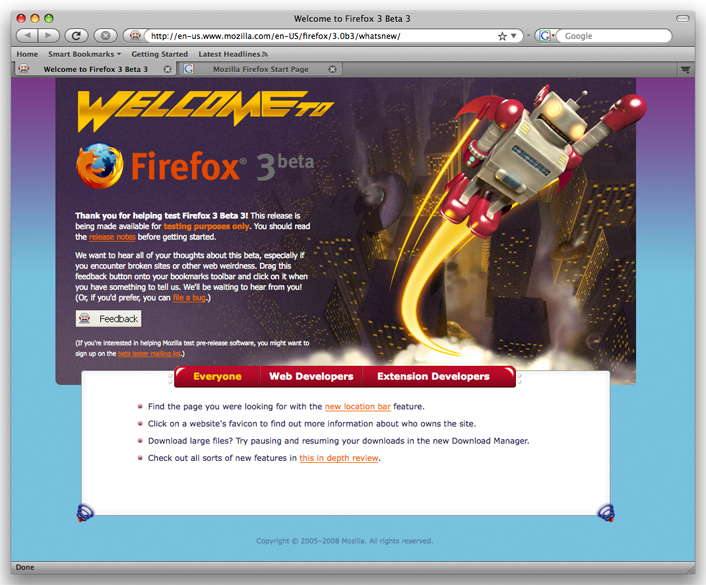
Remember, Firefox 3.0 beta 3 is beta software. If you use Firefox for work, you might want to stick with version 2. Users have reported problems with a few sites, including some of the major email providers like Yahoo, Windows Live Mail, and Gmail. But if you’re like me and have to be on the cutting edge, take a look at Firefox 3.0 beta 3 to see where browsers are headed.