
Posted by Jeffrey Kabbe on December 18th, 2007 in Reviews, Software | Permalink
Mini-Review: Timeline
December 18, 2007Bee Docs recently released the second version of Timeline, their chart creation program for Mac OS X. When I first saw the announcement, I thought “that is going to be a great tool for litigators.” Almost any type of litigation has some kind of timeline worth showing. And from the samples on the Bee Docs website, it looks like Timeline can create some beautiful timelines.
But, as Lee Corso would say, “not so fast, my friend.” I tried out Timeline today and it seems like it is almost there. To start with, Timeline is very easy to use. After choosing a theme, you can begin adding events to your timeline right away. Timeline does sport some iLife integration (Address Book, iCal, iPhoto, and iTunes), but these options all seem more like fun things to play around with at home, rather than useful business tools. As you add entries to your timeline, the scale automatically shrinks or expands to accommodate your entries (more on that later).
Timeline has many appearance options. The default color settings can be modified. Pictures can also be added, either as a background image or as labels for your timeline entries. And, as you would expect, the font used for your timeline can also be changed.
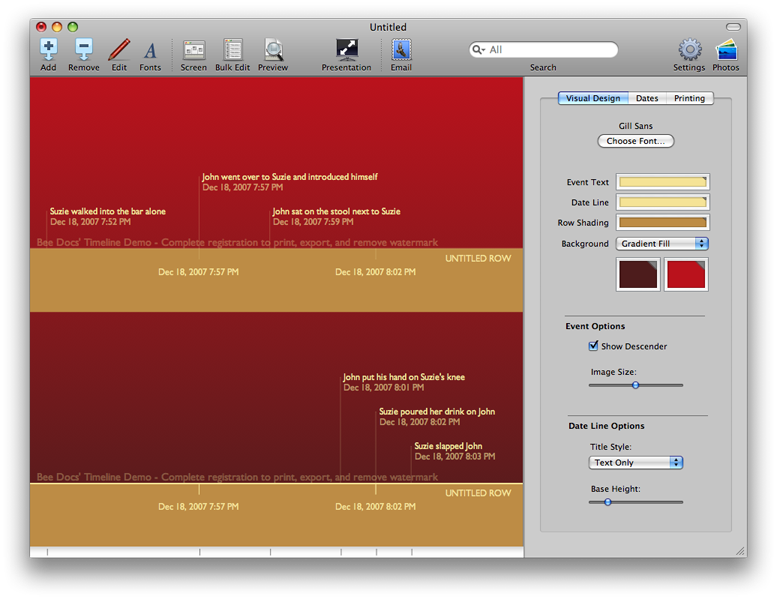
Timeline is still a little rough around the edges, though. Often while creating the timeline, I wished that I could manually change things that Timeline does for me. I want to change the span of the timeline, but I can’t. That feature would be particularly helpful when two timelines are being created on the same page (see the screenshots for an example). Ideally, I would like the second row to pick up at the spot where the first row ended. Timeline, though, seems to require both rows to have the same timespan.
There are other little annoyances. New events are added in a small popup window. The window can’t be moved, though, and any attempt to do so simply adds an event with whatever data you had entered when you tried to move it. I would also like to be able to manually place the event titles vertically. I like the fact that Timeline can handle all the layout so I don’t have to. But, I would also like the option of moving things around a bit to create the exact visual impact I am looking for.
I am really hoping for a Timeline version 2.1. I think with just a few more tweaks and features, Timeline could be a program really worth using.

|
|